Configuration Manual — KOSTAL PV Inverter
1. Introduction
These instructions are used to configure the following KOSTAL PV inverters for integration into the EMS:
-
PLENTICORE plus 3.0 - 10.0
-
PIKO IQ 3.0 - 10.0
-
PIKO CI 30 - 60
2. Prerequisites
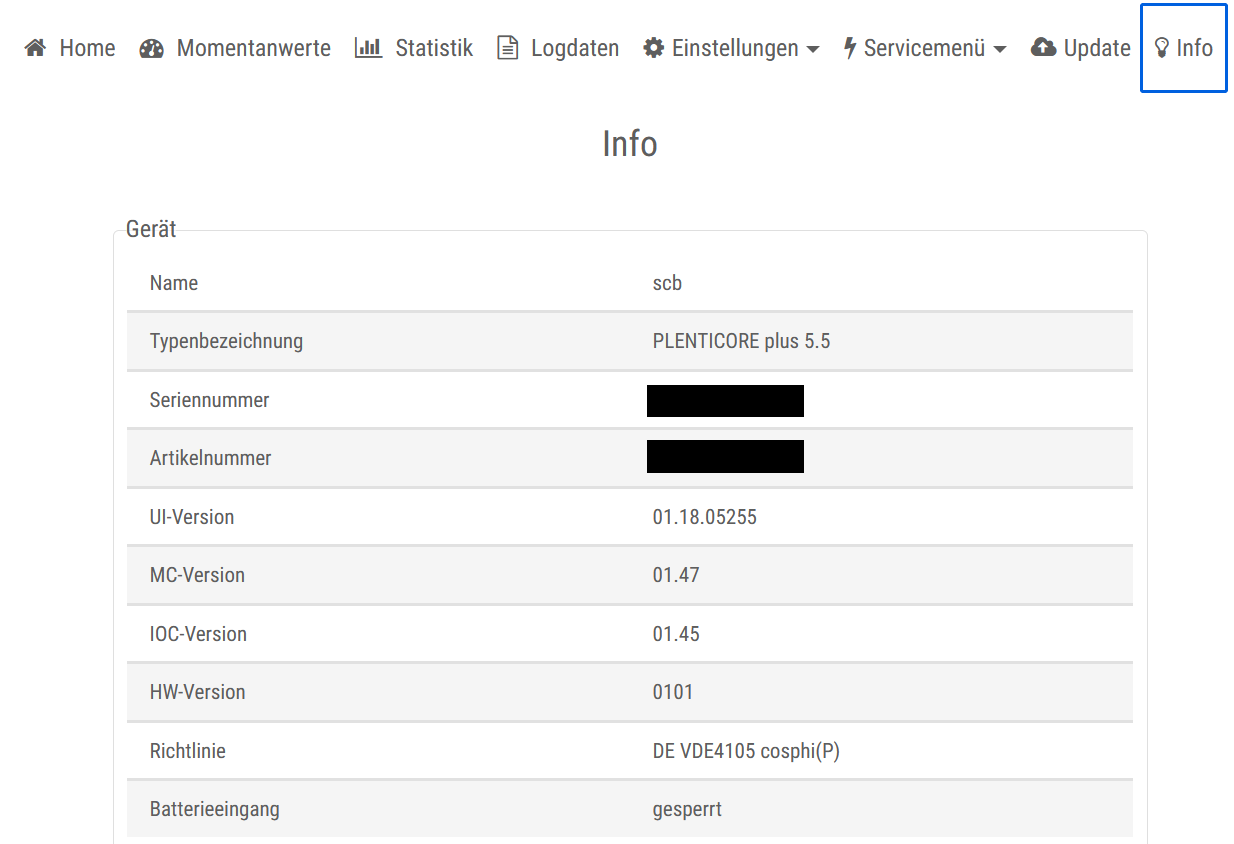
Only KOSTAL inverters of the model series mentioned in the Introduction with at least the following firmware versions are supported:
-
PLENTICORE plus
-
UI version: 01.18.05255 or higher
-
MC version: 01.47 or higher
-
IOC version: 01.45 or higher
-
HW version: 0101 or higher
-
-
PIKO IQ
-
UI version: 01.21.06586 or higher
-
MC version: 01.60 or higher
-
IOC version: 01.60 or higher
-
HW version: 0100 or higher
-
-
PIKO CI
-
Latest firmware (at least V3.10 - April 202211.04), see link: KOSTAL download platform
-
You can check the device’s software versions by selecting Info
3. Configuration — Inverter
To integrate the device into the FEMS, please configure it via the web interface. You can access this by calling up the IP address of the inverter in the browser. We recommend setting the assignment of the IP address to "Automatic" when commissioning the device.
| To be able to access the web interface, your PC/notebook/smartphone must be in the same network as the inverter. |
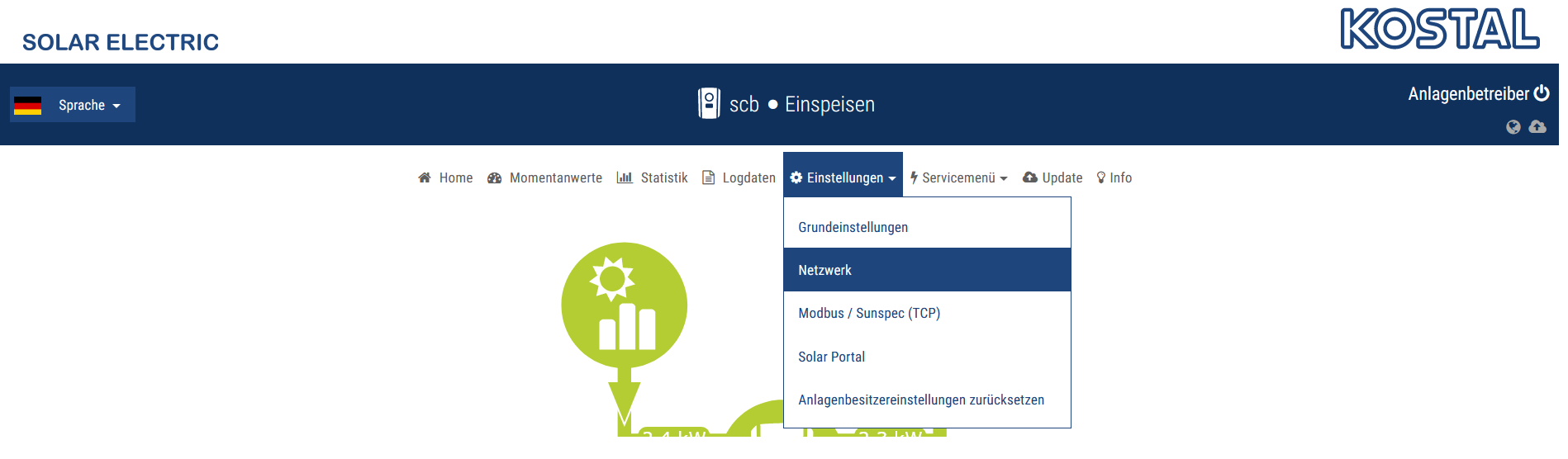
3.1. Network
-
Make the following settings here:
-
Obtain an IPv4 address automatically
-
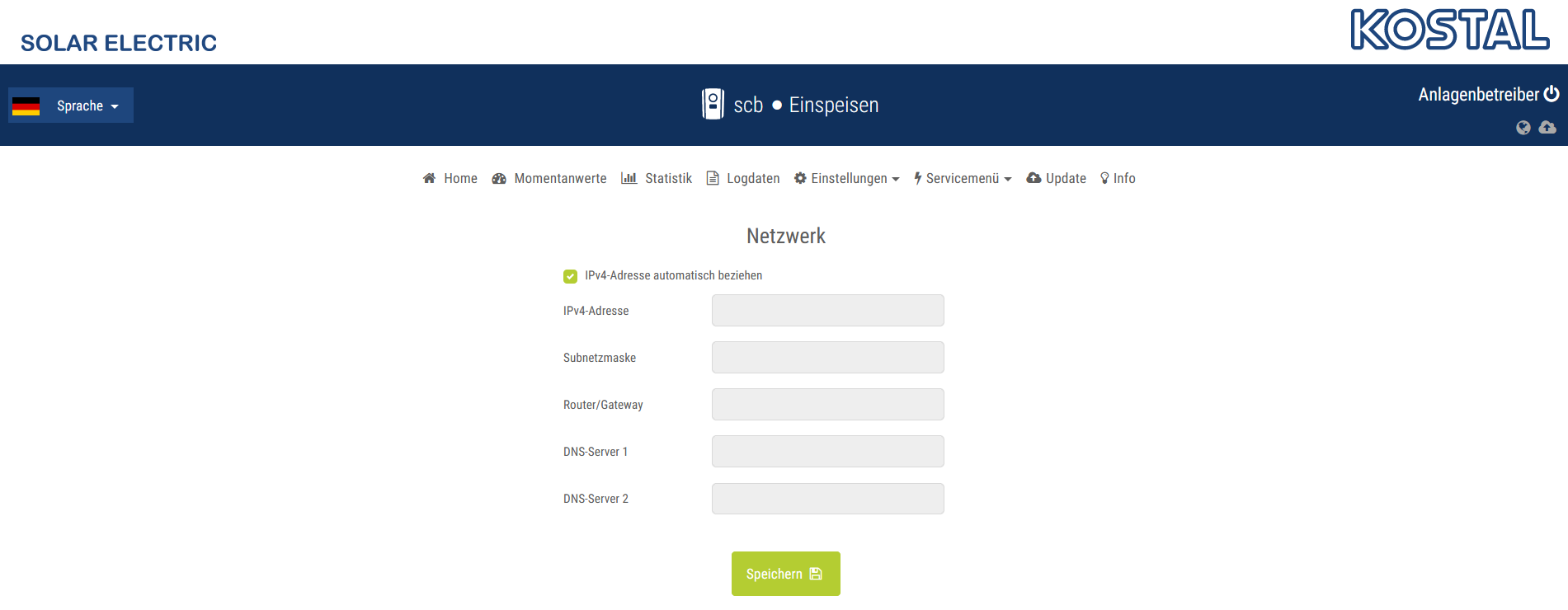
We recommend deactivating DHCP for the inverter in the router settings so that it always retains the same IP address.
3.2. Ping test
To test the configuration, we recommend pinging the inverter in the local customer network.
In the example below, the inverter uses the address 192.168.178.59.
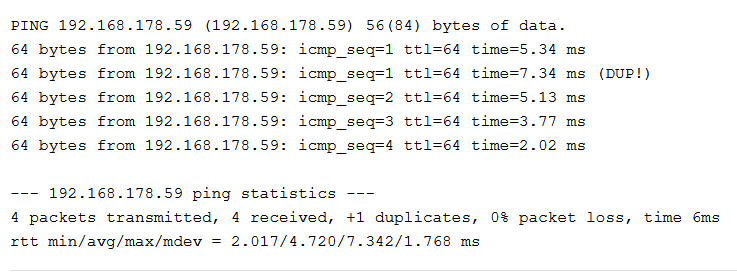
If the inverter cannot be reached via ping, please check the [network] settings.